
What are the benefits of an autogenerated contract for events and travel agencies?
In MICE, almost nothing stays the same from first enquiry to final sign-off. Attendee numbers shift, suppliers change, dates move, and someone always adds one more request halfway through. Every one of those changes used to mean updating a Word document, sending it round for approval, and hoping everyone was working from the same version.
If your contracts still live in Word or PowerPoint, you already know the pattern: long email chains, several versions of the same confirmation floating around, and nobody quite sure which one is current. An autogenerated contract removes that problem by generating and updating the contract directly from the proposal itself, so the numbers never drift apart.
What is an autogenerated contract?
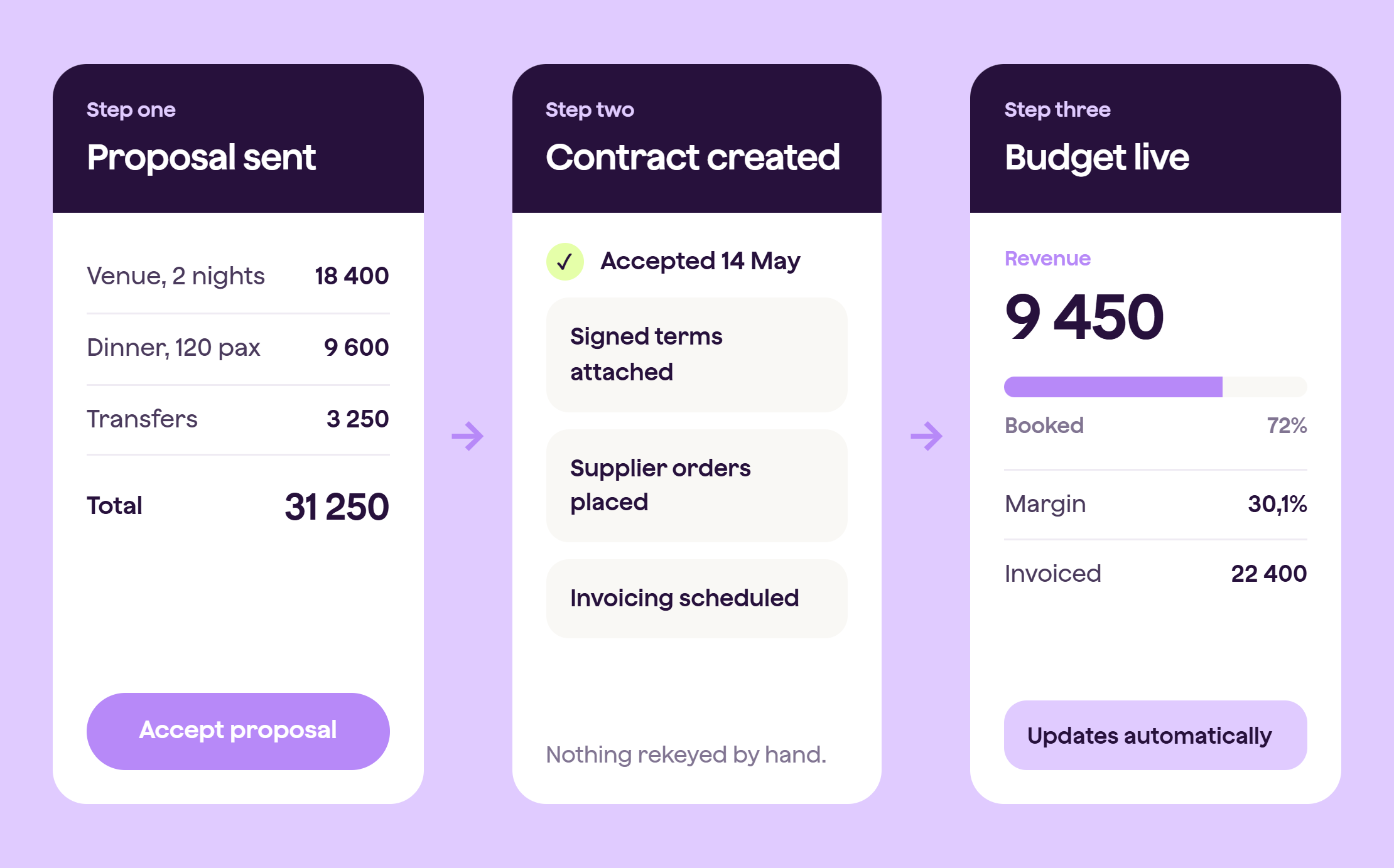
An autogenerated contract is a contract created automatically from an accepted proposal, rather than written or copied out by hand. Instead of a seller rebuilding a document every time something changes, the contract pulls its details straight from the live proposal: the services, the pricing, the dates, and the signed agreement, all in one place. When the proposal changes, the contract updates with it.
How fast can a contract actually get signed?
Normally, once a customer accepts an offer, someone still has to create the contract, send it out, wait for it to be signed, and get it back before anything is confirmed. That gap costs time and gives the deal room to slip.
That means less admin for your sales team and a much easier process for the customer, who never has to print, sign, scan, and email anything back.
What happens if the customer adds extra services after signing?
Upselling is where most manual processes start to fall apart. Once the initial deal is confirmed, it is easy to lose track of what was added later, especially when it happens over a phone call rather than in writing.
Qondor lets sellers update the proposal with new products or services at any point, then send out an updated proposal or confirmation reflecting exactly what has changed. The customer can see both what they originally agreed to and what has been added since.
That keeps everyone working from the same picture, instead of a seller trying to remember which add-ons were agreed on which call.
What happens when details change after the contract is agreed?
Numbers change constantly in this industry, and normally that means a separate email confirming the new figures, followed by someone manually updating the contract to match, if they remember to.
There is no separate email trail to keep track of. Both sides are looking at the same version the moment it changes, which protects you from the kind of mismatch that turns into a dispute later.
How do you stop confusion over which version is correct?
When a customer asks for a full overview of what they have booked, or a disagreement comes up over what was agreed, digging back through emails and old documents wastes time nobody has.
Qondor keeps everything in one place, so the seller, project manager, reception team, and the customer are all looking at the same single source of truth. Nobody needs to reconcile several different versions of the same contract.
That protects margin as much as it protects your relationship with the client. Confusion over what was agreed is expensive to sort out after the fact, and much cheaper to avoid in the first place.
So, is an autogenerated contract worth switching to?
If your contracts still live in Word or PowerPoint, the honest answer is that you are paying for it in time. Maybe not in a way that shows up on a spreadsheet, but in the hours your team spends chasing signatures, rewriting documents, and working out which version is correct.
An autogenerated contract removes that admin by tying the contract directly to the proposal, so it updates automatically instead of by hand. See how it works with your own proposals. Book a demo and bring a real deal to walk through.